

01 / END OF THE MONTH
Breakfast, water, internet.Who owes what?
A month of shared use, and by split day nobody remembers who used what.
Split shared group costs, on Android
Tap or hold to gather the scattered costs into one bill.Or press Enter / Space. Esc cancels.
Continue without tapping ↗
02 / ONE TAP A DAY
Used it today?Tap Yes.
Everyone logs their own share in seconds. Only people who used it pay.
EXAMPLE: A SHARED HOUSEBreakfast cost 100,000 VND and 4 people ate. How much does each pay?Flip card ↗
Each pays 25,000 VND. The one who skipped pays nothing.

03 / EVENNEST
One person collects.No IOUs.
Every 7, 14 or 30 days, each member sees their own bill.
Free for groups of up to 6 people. Android 7.0 and later.
↺ Back to startANDROID
EvenNest
Only people who used it pay. Money goes to one person: no IOUs between members.
Get it on Google PlayEvenNest (Chia Đều in Vietnamese) lets a small group split shared costs: breakfast, water, internet. The group owner enters the cost, each person taps "I used it", and every member sees their own bill at the end of the period.
Real app screens
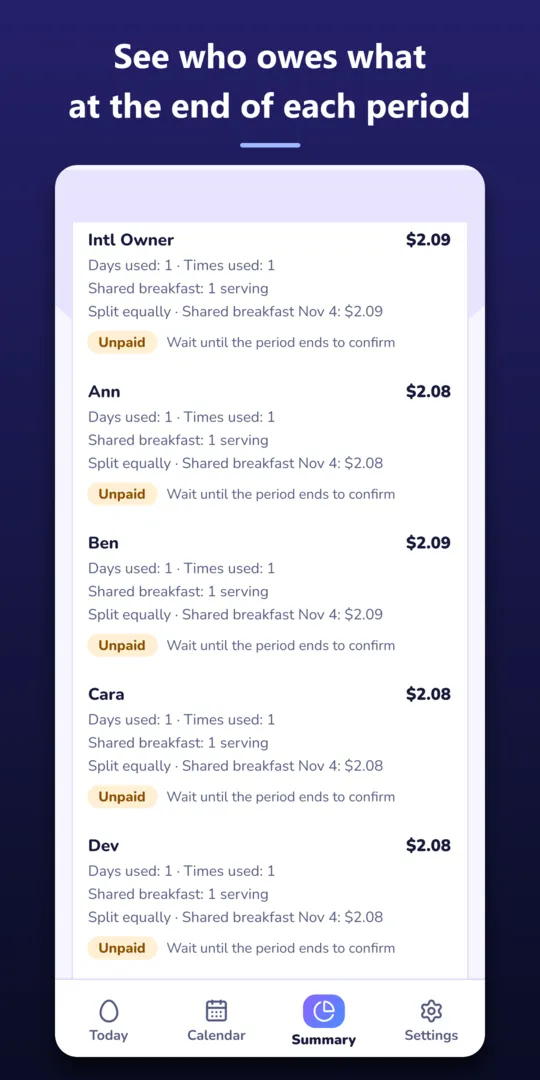
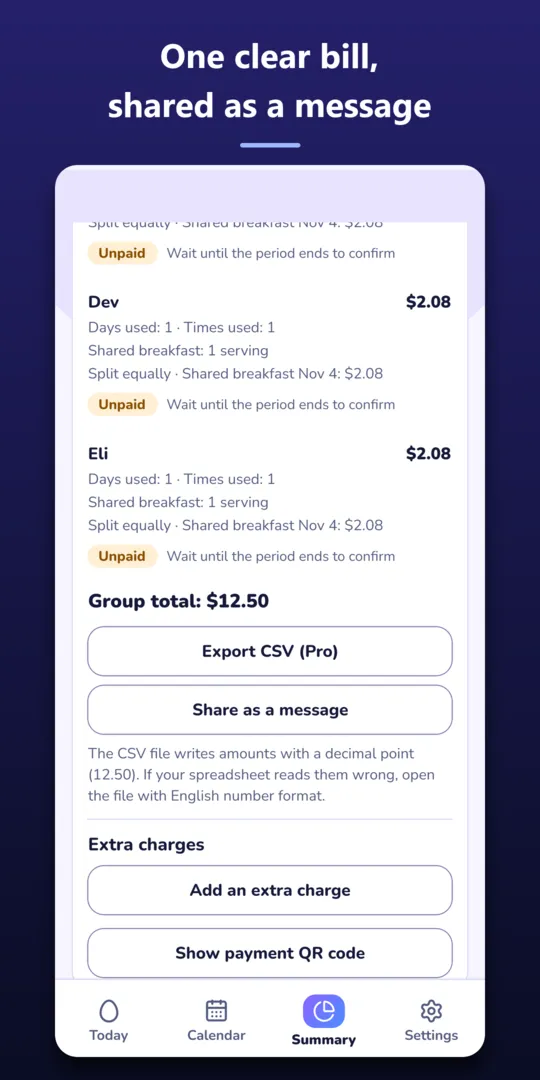
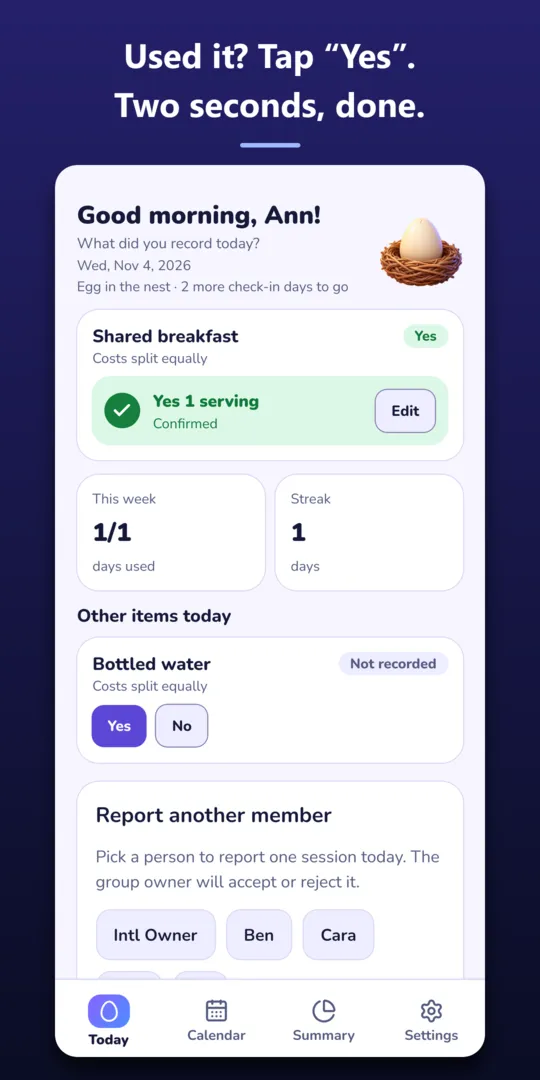
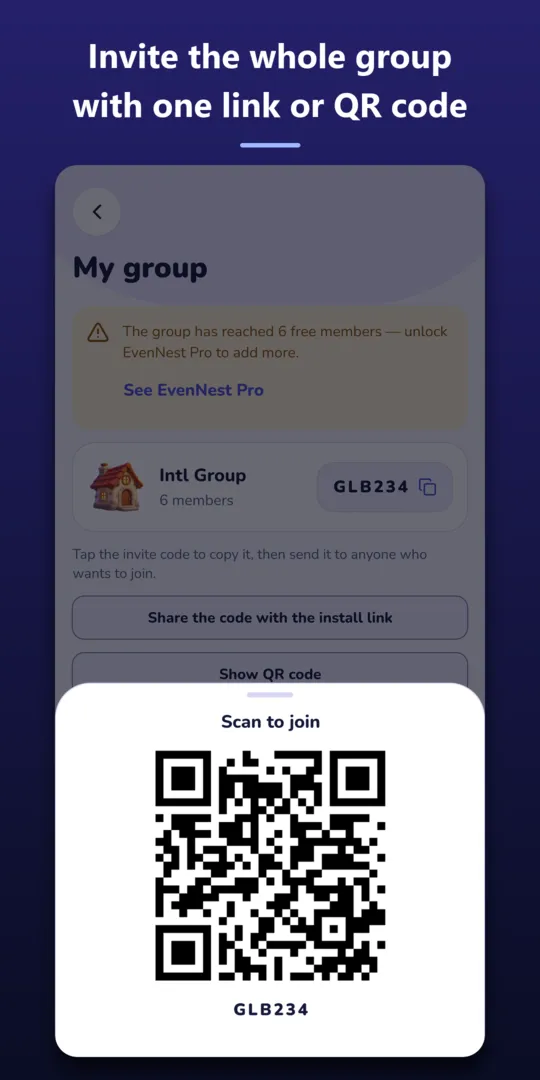
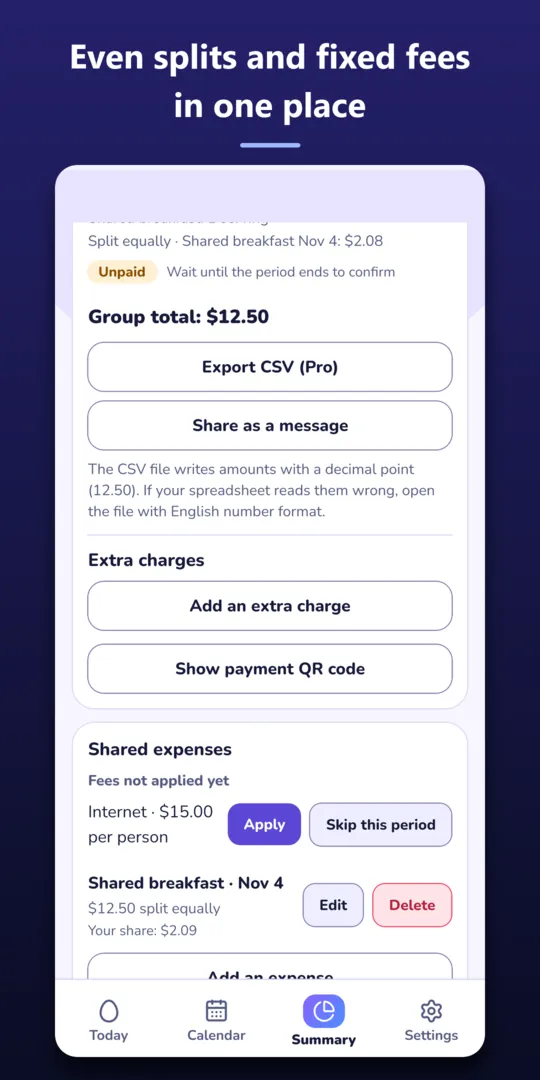
Captured from a test build of the app with sample data.
Example: a boarding house
5 people share a house. The group owner enters 100,000 VND for today's breakfast.
4 of them tap "I ate", so each pays 25,000 VND. The one who skipped pays nothing.
At the end of the period everyone sees their own bill and pays the group owner. No one owes anyone else.
Three steps
- Create a group. Only a name is needed.
- Invite with one link. Send the link; tapping it joins the group.
- Tap "I used it". Each person taps when they use something. The bill appears at the end of the period.
Good for
- Boarding houses and shared flats
- Offices
- Families
- Clubs
Price
- Free for groups of up to 6 people.
- EvenNest Pro is a one-time purchase for the group owner: add more members, export CSV.
- Members are always free.
- Prices are shown by Google Play in each country.
FAQ
Does the app move money?
No. It only records and calculates. Members pay the group owner however they usually do.
Where is my data stored?
On Google Firebase. See the privacy policy for details.
How do I delete my account?
Follow the EvenNest account deletion page. Delete your Chia Đều account
Are there ads?
No.
Is there an iOS version?
Not yet. Android only.